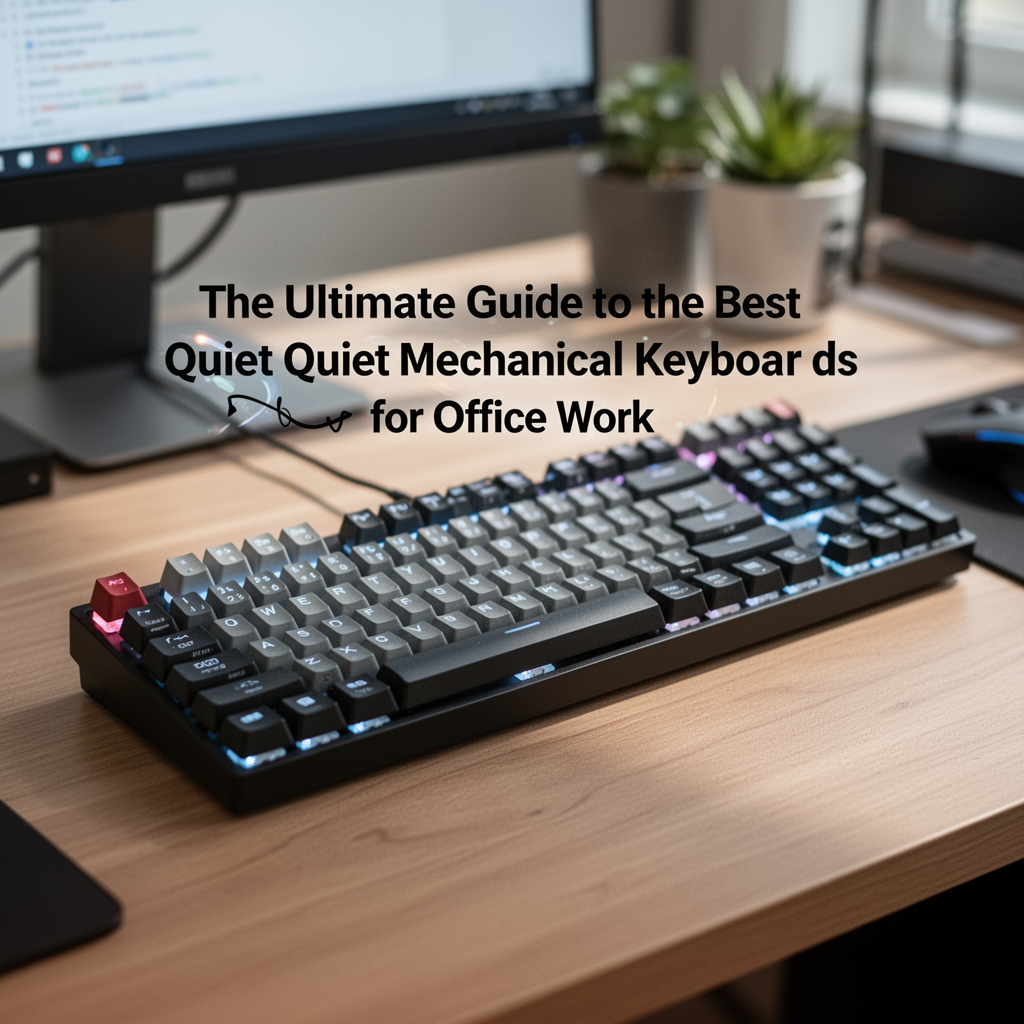
If you spend eight hours a day typing, the sound of your keyboard matters. For years, mechanical keyboards were synonymous with the loud, rhythmic "clack-clack" that made them popular with gamers but persona non grata in open-plan offices. If you’ve ever felt self-conscious during a Zoom call or worried about distracting your desk neighbor, you’ve likely considered switching to a mushy membrane keyboard.
But here is the good news: you don’t have to sacrifice the tactile satisfaction of mechanical switches for silence. The world of enthusiast keyboards has evolved, and "silent" no longer means "boring." Whether you are a writer, a coder, or an administrative professional, finding the best quiet mechanical keyboard for office work is the key to elevating your productivity without becoming the office nuisance.
In this guide, we’ll explore how to identify the right switches, the construction features that dampen sound, and our top picks for the best quiet mechanical keyboards on the market today.
Why Mechanical Keyboards Matter for Office Productivity
Mechanical keyboards aren't just a trend; they are a tool. Unlike standard membrane or "chiclet" keyboards found on most office-issued laptops, mechanical keyboards use individual physical switches under every key. This leads to:

ASUS ROG Strix G16 (2025) Gaming Laptop, 16” FHD+ 16:10 165Hz/3ms Display, NVIDIA® GeForce RTX™ 5060 Laptop GPU, Intel® Core™ i7 Processor 14650HX, 16GB DDR5, 1TB Gen 4 SSD, Wi-Fi 7, Windows 11 Home
- Consistency: Every keystroke feels identical, leading to fewer typos.
- Ergonomics: Mechanical switches often have a more satisfying travel distance, which can reduce finger fatigue over long work sessions.
- Durability: A high-quality mechanical board can last for decades, unlike rubber dome keyboards that lose their "snap" after a year or two.
- Customization: You can swap keycaps, adjust angles, and—most importantly—choose switches that suit your specific noise tolerance.
Decoding "Quiet" Switches: Linear vs. Tactile
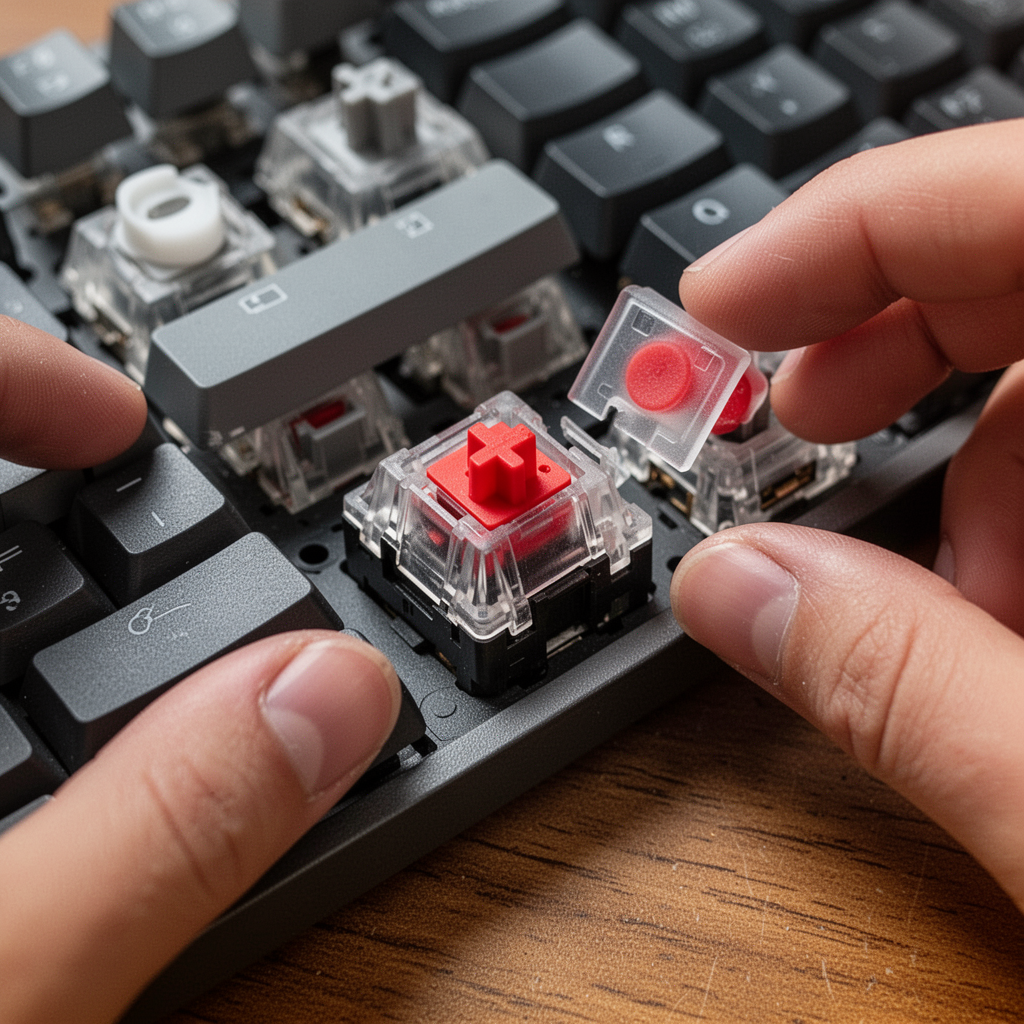
Before looking at specific keyboards, you must understand the engine under the hood: the switch. In the world of silent keyboards, there are two primary contenders you need to know.
Silent Linear Switches
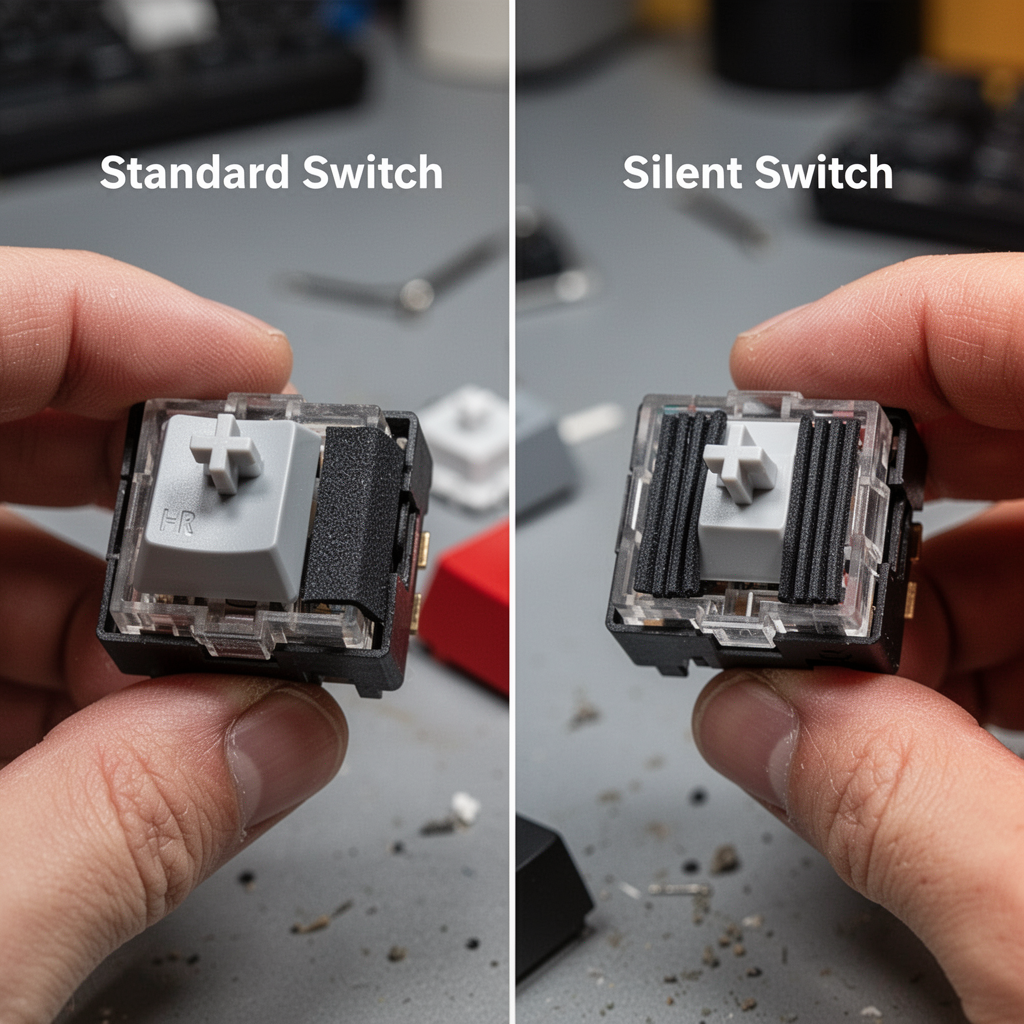
Linear switches are buttery smooth. When you press the key, there is no "bump" or resistance; it just slides down to the bottom. They are widely considered the quietest mechanical switches because they lack the physical "click" mechanism of blue switches or the "bump" of brown switches. When you add dampening pads (often called "Silent" switches), they become near-silent.
Silent Tactile Switches
If you love the physical feedback of feeling the key register, but you need silence, silent tactile switches are your best friend. These offer a soft, subtle "bump" mid-press, letting you know the key has been activated without the accompanying high-pitched noise.
The Best Quiet Mechanical Keyboards for 2026
We have curated this list based on build quality, acoustic performance (the "thock" vs. "clack" factor), and office ergonomics.
1. The Gold Standard: HHKB Professional Hybrid Type-S
The Happy Hacking Keyboard (HHKB) is a legend in the developer community. It uses Topre switches—a unique hybrid between a mechanical switch and a rubber dome. The "Type-S" (Silent) version is legendary for its quiet, refined sound signature.
- Why it’s perfect for the office: The key presses sound like raindrops hitting a window. It is incredibly satisfying yet almost entirely inaudible to colleagues.
- Pros: HHKB layout is ergonomic; incredibly long-lasting; compact footprint.
- Cons: Expensive; the unique layout has a steep learning curve.
2. The Premium Productivity Choice: Keychron Q1 Pro
Keychron has revolutionized the mechanical keyboard space by bringing enthusiast-level features to the mainstream. The Q1 Pro features a gasket-mount design, which means the internal plate "floats" on silicone gaskets, preventing the harsh metal-on-metal vibrations that create unwanted noise.
- Why it’s perfect for the office: Pair this with "Gateron Silent Red" switches, and you have a powerhouse that feels premium, sounds deep and muted, and looks professional.
- Pros: Fully customizable (hot-swappable); Bluetooth 5.1; heavy, premium aluminum build.
- Cons: Quite heavy; requires some setup to customize software (QMK/VIA).
New Bee Bluetooth Earpiece V5.0 Wireless Handsfree Headset with Microphone 24 Hrs Driving Headset 60 Days Standby Time for iPhone Android Samsung Laptop Trucker Driver (Black)
3. The Professional Workhorse: Logitech MX Mechanical
Logitech is a household name for a reason. The MX Mechanical was built specifically for office workers. It uses low-profile switches, which means the keys are shorter and require less travel.
- Why it’s perfect for the office: It is designed to work seamlessly with Logitech’s "Flow" software, allowing you to switch between multiple computers instantly. It’s quiet out of the box and features smart backlighting that only turns on when your hand nears the board.
- Pros: Multi-device connectivity; excellent battery life; very low profile.
- Cons: Non-standard keycaps make it harder to customize later.

Essential Sound-Dampening Mods for Your Office Keyboard
If you already have a mechanical keyboard that is a bit too loud, you don’t necessarily need to buy a new one. You can modify your current setup to bring the decibel level down significantly.
Use O-Rings
O-rings are tiny rubber circles that slide onto the stem of your keycaps. When you press a key, the O-ring hits the switch housing before the plastic cap hits the base. This "bottom-out" dampening is the cheapest way to silence a keyboard.
Case Foam
Most "clack" in a keyboard comes from the empty space inside the case, which acts as an echo chamber. Opening your keyboard and placing a layer of sound-dampening foam (like neoprene or even shelf liner) inside the base can kill the hollow resonance.
Desk Mats
Never underestimate the surface you are typing on. A large, thick felt or rubberized desk mat will absorb the sound waves that travel through your desk, significantly reducing the "desk ping" that many people mistake for keyboard noise.
Evaluating "Silent" Switches: What to Look For
When shopping for switches specifically, keep these names in your back pocket. These are the gold standards for silent operation:
- Gateron Silent Red / Silent Black: These use a small rubber dampener on the stem to silence both the down-press and the up-stroke.
- Cherry MX Silent Red (Pink): The reliable industry standard. They are lighter and very common in pre-built "silent" keyboards.
- Durock Silent Dolphins: A favorite among enthusiasts who want a "tactile" silent switch. They are famously quiet and very smooth.
The Ergonomic Advantage: Why "Quiet" and "Healthy" Go Hand-in-Hand
When we talk about office keyboards, we cannot ignore ergonomics. A loud, clunky keyboard often forces your wrists into an unnatural angle. The best quiet mechanical keyboards are often available in ergonomic formats, such as:
- Alice Layouts: These keyboards are split and angled, naturally positioning your wrists at a shoulder-width distance rather than forcing your arms inward.
- Low-Profile Designs: If you don't use a wrist rest, low-profile mechanical boards reduce the amount of "wrist extension" (bending your wrists back), which is a leading cause of Carpal Tunnel Syndrome.
By choosing a keyboard that is both quiet and ergonomic, you are investing in your long-term career health. You aren't just preventing complaints from coworkers; you are preventing repetitive strain injuries that could sideline you for months.
Maintaining Your Silent Keyboard
A quiet keyboard can eventually become a "noisy" keyboard if it isn't cleaned. Dust and debris can get trapped under the switches, creating an inconsistent and scratchy sound.
- Clean Weekly: Use a can of compressed air to blow out debris from between the keys.
- Keycap Maintenance: Once a month, remove the keycaps (using a keycap puller) and wipe them down with a mild solution.
- Switch Lubrication: If you are into the "enthusiast" side of things, lubing your switches with Krytox 205g0 is the ultimate way to make a keyboard sound creamy and silent. It eliminates the "spring ping" noise—the high-pitched metallic echo that happens when you release a key.
Selecting the Right Keyboard for Your Role
Not all office environments are created equal. Your choice of keyboard should reflect your specific working conditions.
For the Open-Plan Office
If you are surrounded by people, silence is non-negotiable. Look for keyboards with a gasket mount and silent linear switches. Avoid clicking switches (Blues, Greens) at all costs. The Keychron Q series is a fantastic starting point here.
For the Private Home Office
If you work from home, you have more freedom. You might still want a quiet board to keep your microphones clean during Zoom calls. In this scenario, you can focus more on the "feel" rather than absolute silence. The HHKB remains the king here, as the sound is pleasant even if it isn't "silent."
For the Traveling Professional
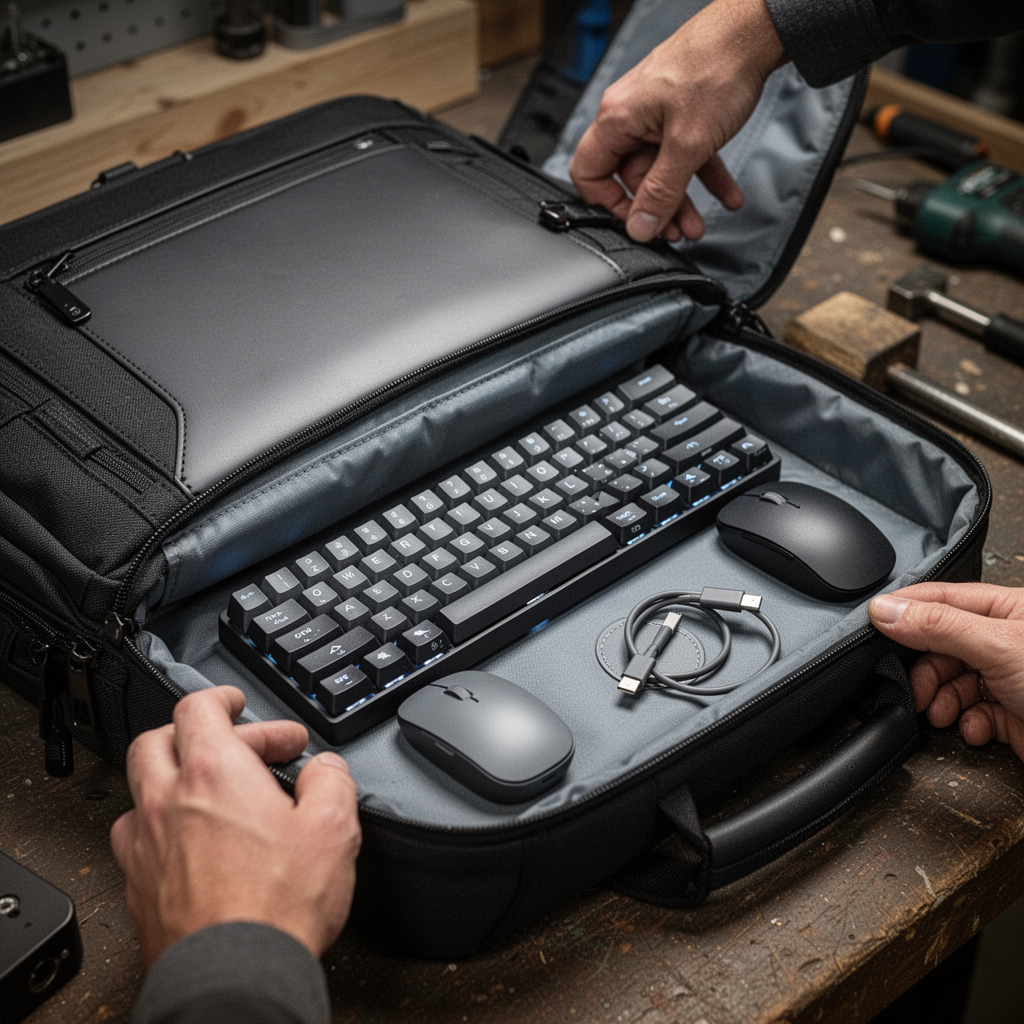
If you move between a home office, a client site, and a coworking space, look for a 60% or 65% form factor keyboard. These are small enough to fit into a laptop bag. The Logitech MX Mechanical Mini is specifically designed for this level of portability without losing the tactile mechanical feel.
Frequently Asked Questions
Will O-rings ruin the "feel" of my keyboard?
They will change it. Some people feel that O-rings make the bottom-out feel "mushy." If you prefer a crisp feel, consider buying a keyboard with a gasket mount instead of using O-rings, as the gasket structure dampens sound without making the keys feel squishy.
Can I make a gaming keyboard work for the office?
Yes, but you usually have to change the switches. Most gaming keyboards use fast, loud switches. If your gaming keyboard is "hot-swappable" (meaning you can pull the switches out), you can buy a pack of silent switches and swap them out in about 30 minutes.
What is the difference between a "Clicky" and "Silent" switch?
A "Clicky" switch has a small plastic piece designed specifically to create a loud, sharp "click" at the moment of activation. A "Silent" switch is designed specifically to muffle the contact point using rubber or specialized plastic housings. Never use a "Clicky" switch in an office.
Final Thoughts: Finding Your "Endgame"
The journey to finding the perfect office keyboard is personal. Some people prefer the heavy, metallic, industrial feel of an aluminum board, while others prefer the light, plastic, "thocky" sound of a polycarbonate case.
When you choose a quiet mechanical keyboard, you are doing more than just buying a peripheral; you are customizing your environment to serve your needs. You are telling your brain, "It is time to focus," and you are respecting the space of your colleagues.
Start with the recommendations above, consider your budget, and don't be afraid to experiment with small modifications like desk mats or O-rings. Once you find that perfect balance of tactile feedback and near-silent operation, you will never want to go back to a standard office keyboard again. Your fingers—and your coworkers—will thank you.
Summary Checklist for Choosing Your Keyboard:
- Switch Type: Opt for Linear or Tactile "Silent" versions.
- Construction: Look for gasket-mounted boards to reduce vibrations.
- Size: Consider 65% or 75% layouts for the perfect balance of function and desk space.
- Connectivity: Wireless (Bluetooth) is cleaner for the desk, but check battery life specs.
- Accessories: Always add a high-quality desk mat to dampen external sounds.

Bluetooth Headset with 72-Hour Talk Time & 500mAh Charging Case, Bluetooth V5.3 Headset with Noise Cancelling Mic – Wireless Earpiece Hands-Free Headphones for Office Trucker Driving Business,Black
By following this guide, you aren't just buying hardware; you are investing in a better, quieter, and more satisfying professional experience. Happy typing!